

Follow the IDs
We used atravel-planner agent for the examples below. To try these request patterns with your own agent, replace the registration name and gateway address, and set BIFROST_VK to a key with access to your registration. Our requests used the JSON-RPC endpoint with x-bf-vk, Content-Type: application/json, and A2A-Version: 1.0 headers.
Message, task, and context IDs belong to A2A. The Bifrost request ID is gateway metadata, separate from the JSON-RPC
id used to match a protocol request with its response.
The agent creates and owns task and context IDs. Bifrost preserves them while routing requests. A task ID is also the value you pass as the agent correlation ID on the agent’s LLM and MCP requests.
Read the task state
A successful HTTP or JSON-RPC operation can return a task in
failed state. The request reached the agent successfully; the work itself failed. Check both the gateway operation status and the task state when debugging.
Choose how to receive updates
- One response
- Streaming
- Push notifications
Call Read
SendMessage through the agent’s Bifrost endpoint:result.message for a direct reply or result.task for task-based work. For a task, save its id and contextId, then inspect status.state and status.message.If it is still working, send this body to the same endpoint with the same headers, replacing TASK_ID with the returned task ID:GetTask reads the current snapshot. It does not start another task. When the task completes, read its artifacts.Continue a task that needs input
Forinput-required, read task.status.message to learn what is missing. Send another SendMessage request with a new messageId, the returned taskId and contextId, and your answer:
CancelTask with "params": {"id": "TASK_ID"} and inspect the returned task state. See Transport selection and recovery for stream failure behavior.
Read artifacts
Artifacts are the agent’s outputs. One task can produce several, such as a report and a spreadsheet. Each can contain text, files, or structured data, plus a name, description, and metadata. In Agent Logs, open the conversation or event payload to inspect the parts. File parts can contain inline bytes or an external URL. The dashboard renders supported media and provides file actions where available. Inspect the payload when you need the MIME type, filename, URI, or metadata. An artifact update can append to an existing artifact. Several stream events do not necessarily mean several separate files. In a task response, readresult.task.artifacts[].parts[]. A text part has text; a file part includes its MIME type and either inline bytes or a URI. In a stream, use artifactUpdate.artifact.artifactId to match updates to the same artifact and its append flag to distinguish appended output from replacement output.
See a travel task's report and files
See a travel task's report and files
We sent our travel agent a request for a three-day Lisbon itinerary. After it completed, we opened its operation in Agent Logs and selected Conversation. The screenshot shows the returned 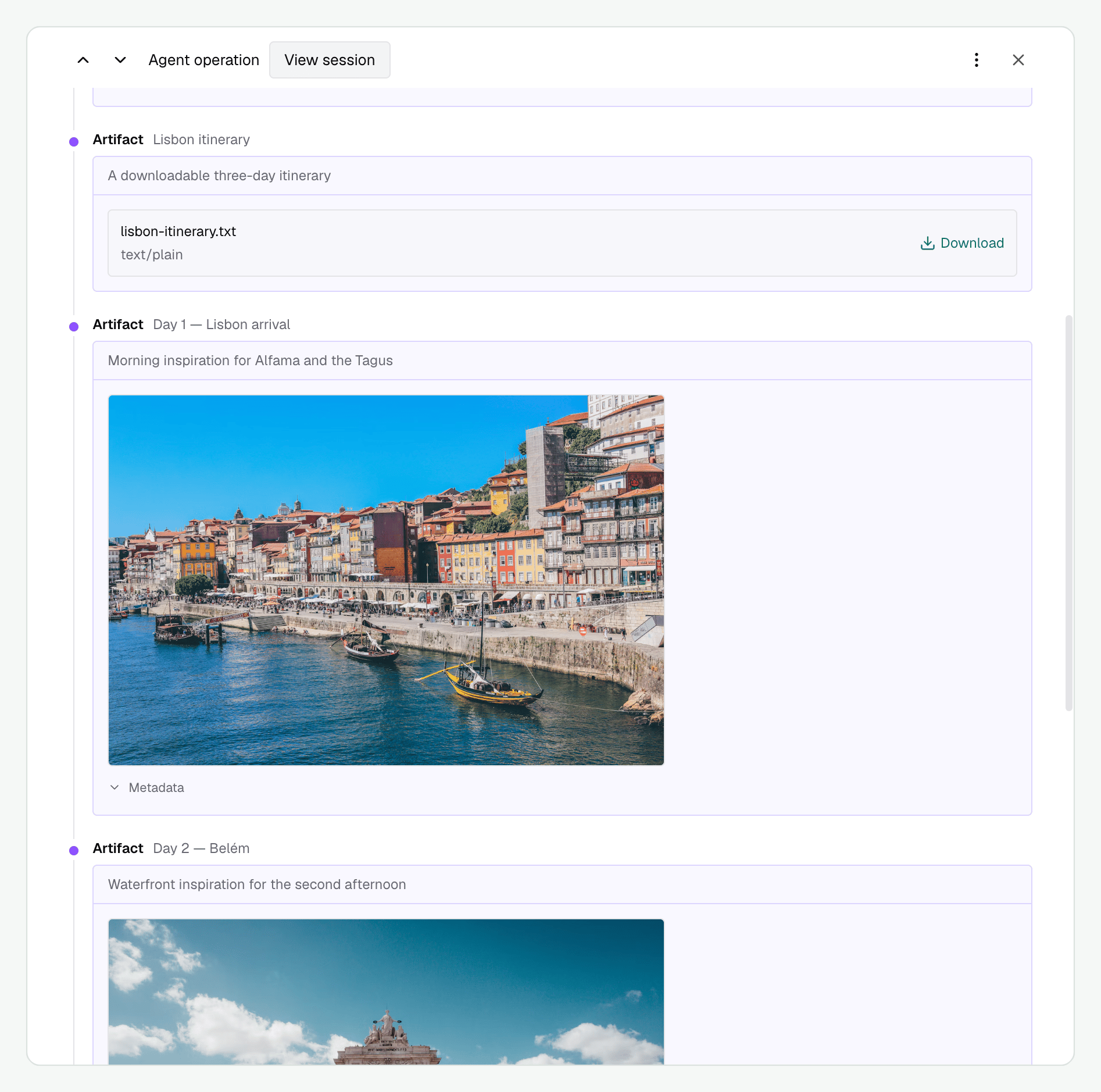
lisbon-itinerary.txt and image artifacts for individual days. Each artifact has a name and description; Download saves the itinerary, and Metadata reveals the image’s additional fields.Which operations appear in Agent Logs?
Which operations appear in Agent Logs?
A2A operations appear under their protocol names:
Bifrost also records these gateway-specific push relay events. These labels are not A2A methods:
Events have their own type, sequence, and available IDs. Some operations do not have a task or context ID, such as initial card discovery. They remain visible as individual operations.Use
CancelTask to ask the agent to stop work. DeleteTaskPushNotificationConfig removes a task’s callback configuration.